Work with EMCare on your own schedule

Booking requests from patients arrive in a portal built for specialists, where you also manage your appointments, working hours, reports and reviews.

Apply now
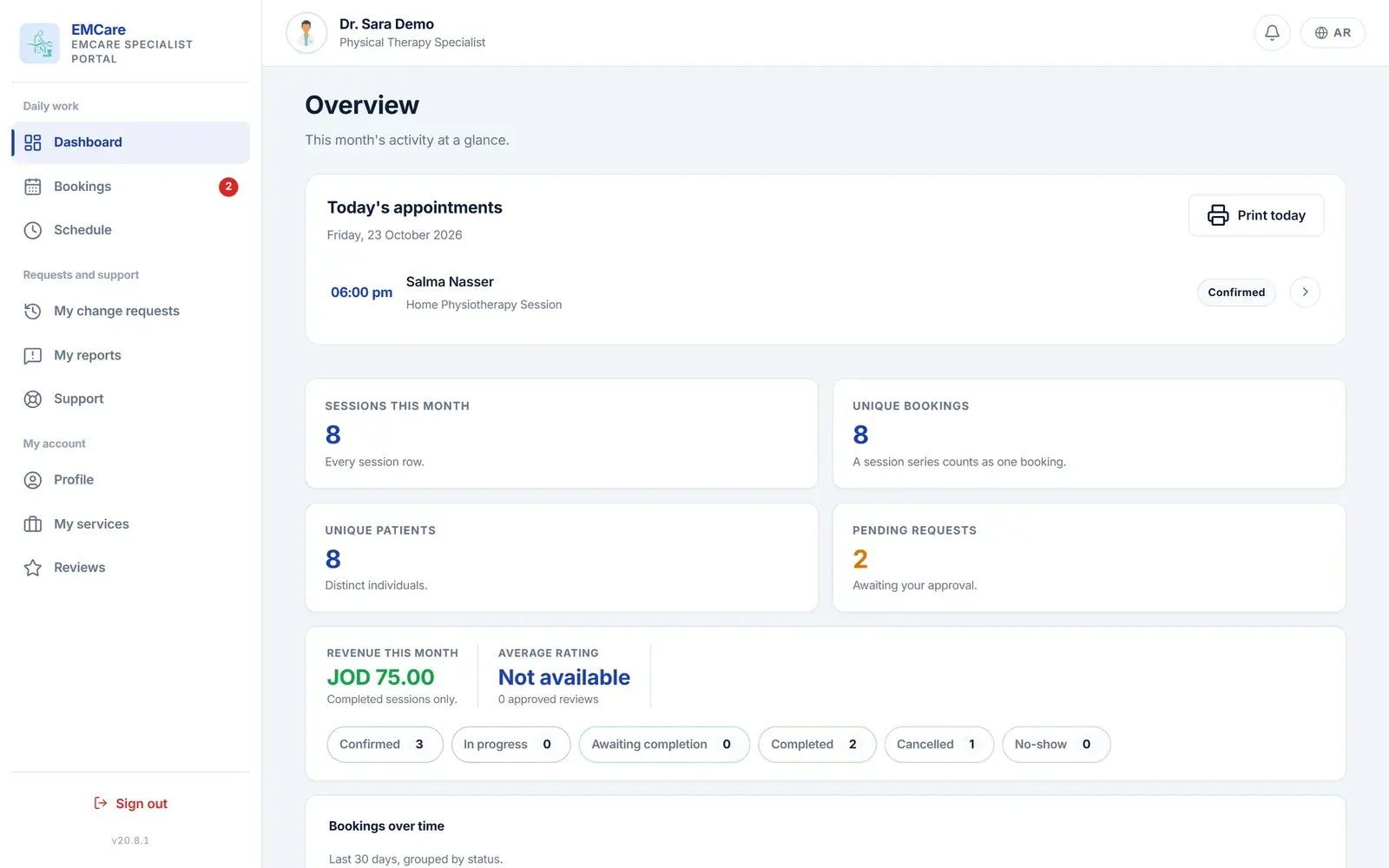
The specialist dashboard in the EMCare portal

Everything your work needs, in one place

Bookings come to you

Every booking request reaches you with its details, and the decision is yours: approve it, reject it or propose another time that suits you.

  • Approve, reject or propose another time
  • Instant notifications in the portal and by email
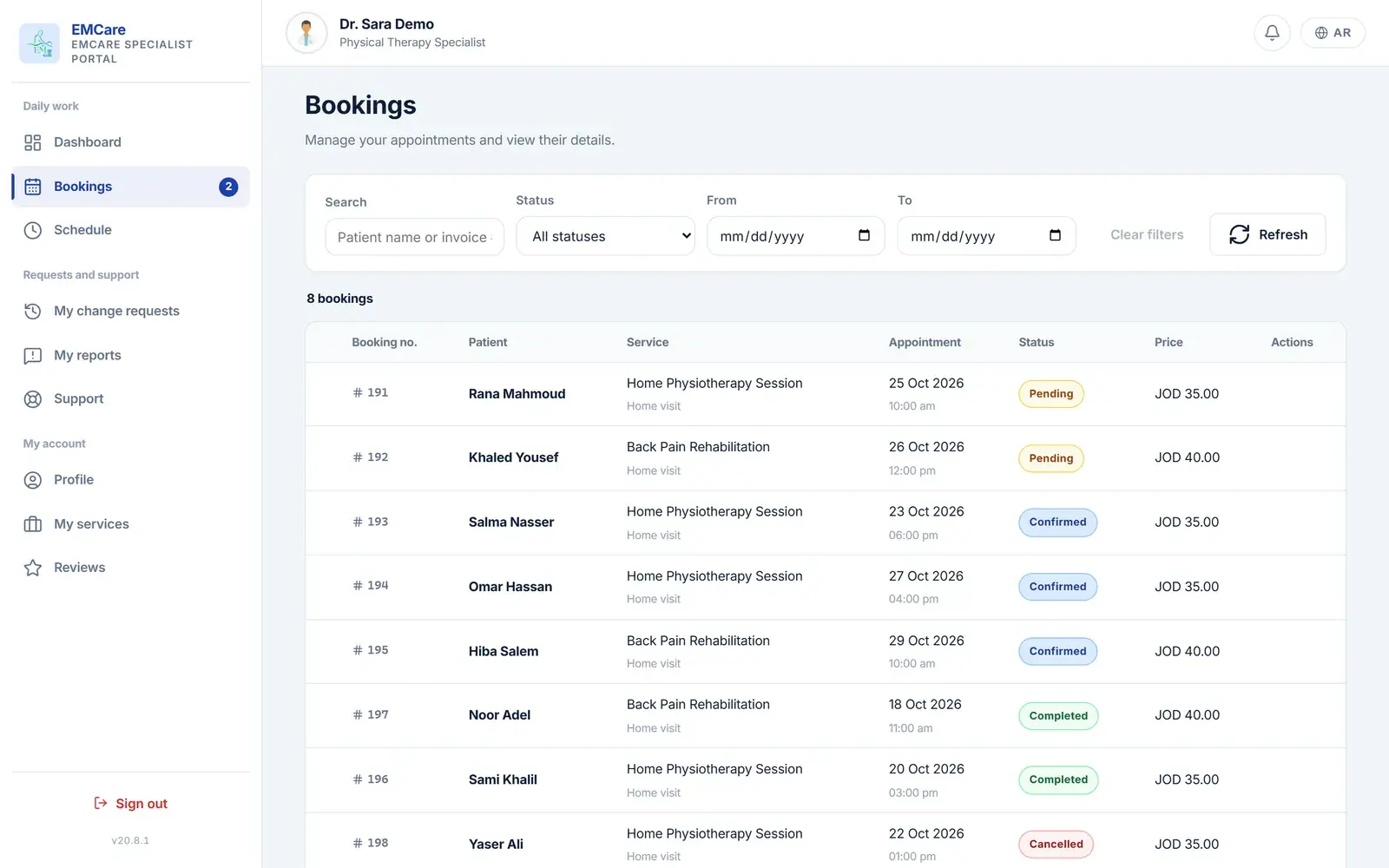
The bookings list in the specialist portal

Your hours, your days

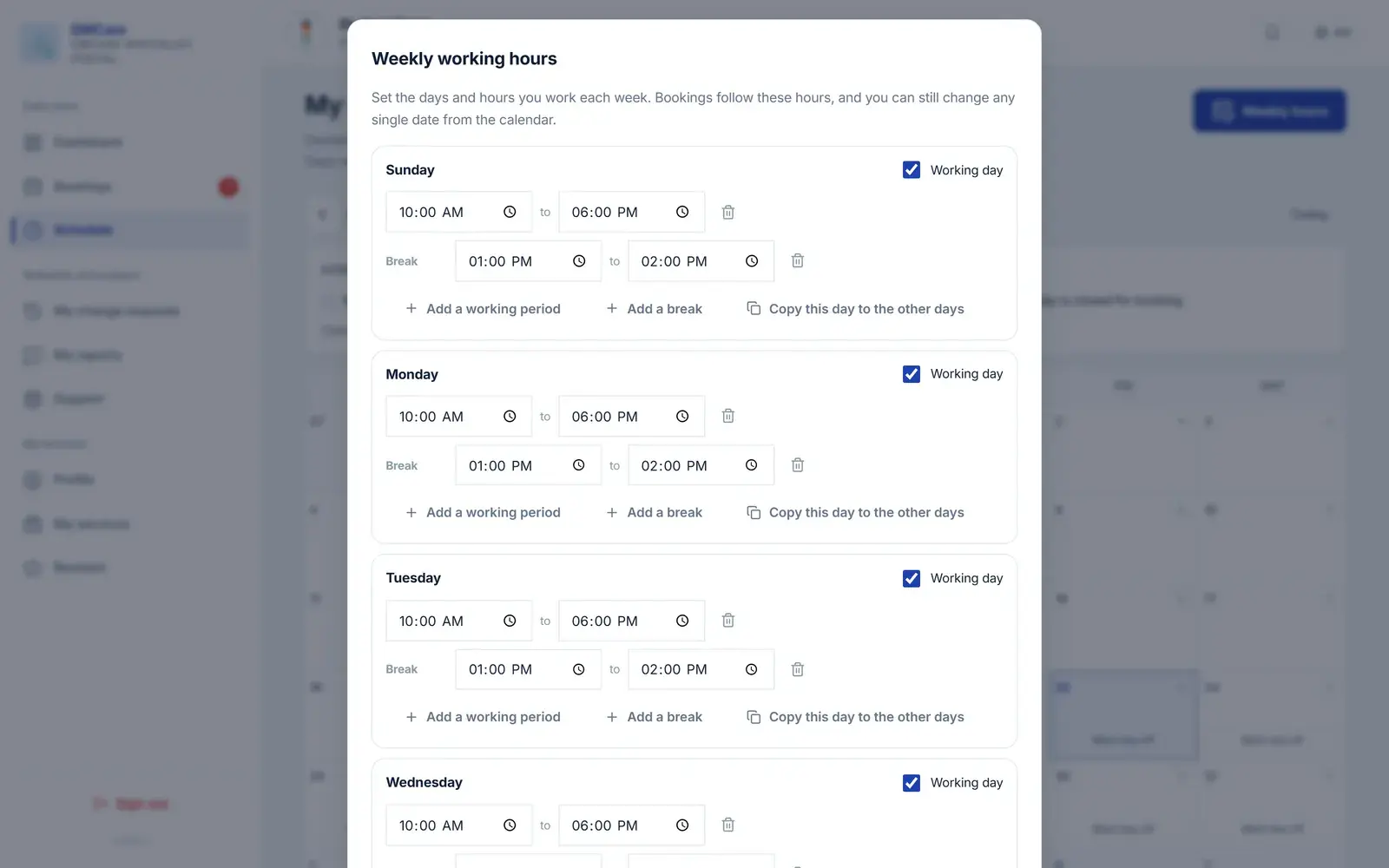
Set your working hours for each day of the week and your days off. Patients only see the time you choose.

  • Weekly hours you set yourself
  • Days off you close straight from your schedule
The weekly working hours in the specialist portal

Every visit detail on one page

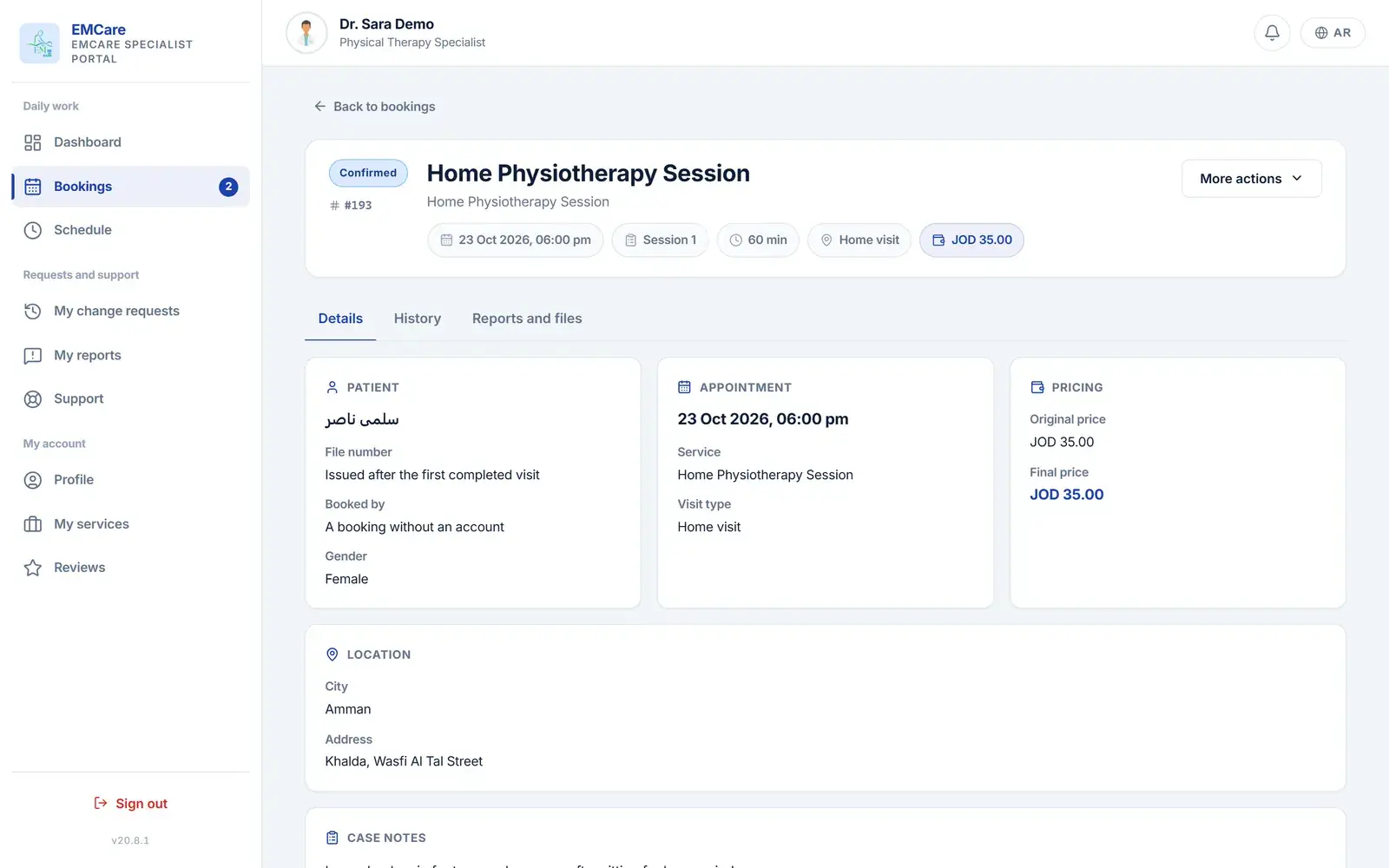
The patient file, visit time and address on one page, where you also write the session report once the visit ends.

  • The patient file and session reports
  • Patient reviews and your overall rating
  • Support requests and session issue reports from the portal
A booking details page in the specialist portal

How to join EMCare

  1. Apply

    Fill in the form and attach your national ID, health certificate, practice license and CV.

  2. We review it

    The EMCare team reviews your application and documents.

  3. You get your account

    When your application is approved, you receive an email with your specialist portal sign-in details.

  4. Start working

    Set your working hours and start receiving bookings.

Frequently asked questions

What do I need to apply?

Your national ID, health certificate, practice license and CV. You upload all of them in the application form.

How will I know the result?

When your application is approved, you receive an email with your specialist portal sign-in details.

Can I apply again if I am not accepted?

Yes. You can apply again 30 days after the decision on your previous application.

Who decides my working hours?

You do. You set your weekly hours and days off on the My schedule page of the portal.

Can I decline a booking?

Yes. You can approve a booking, reject it or propose another time, and your answer reaches the patient.

How do I ask for help or report a session problem?

From the Support and Issues pages of the portal, which the EMCare team follows up.

Can I change my services?

Yes. You send an edit request from the My services page, and our team updates your services after reviewing it.

Ready to join EMCare?

Apply today and our team will review your application.

Apply now